
LIGHTNING-FAST
Upload footage. Background removed in seconds.
BACKGROUND REMOVER
AI background removal for video and images.
Clean alpha mattes your comp can trust.
Shot anywhere. No green screen.
A clean matte in minutes.
01/ TOTAL CONTROL
AI rotoscoping without the frame-by-frame grind. One-click tools decide what's foreground for you. Beeble doesn't.
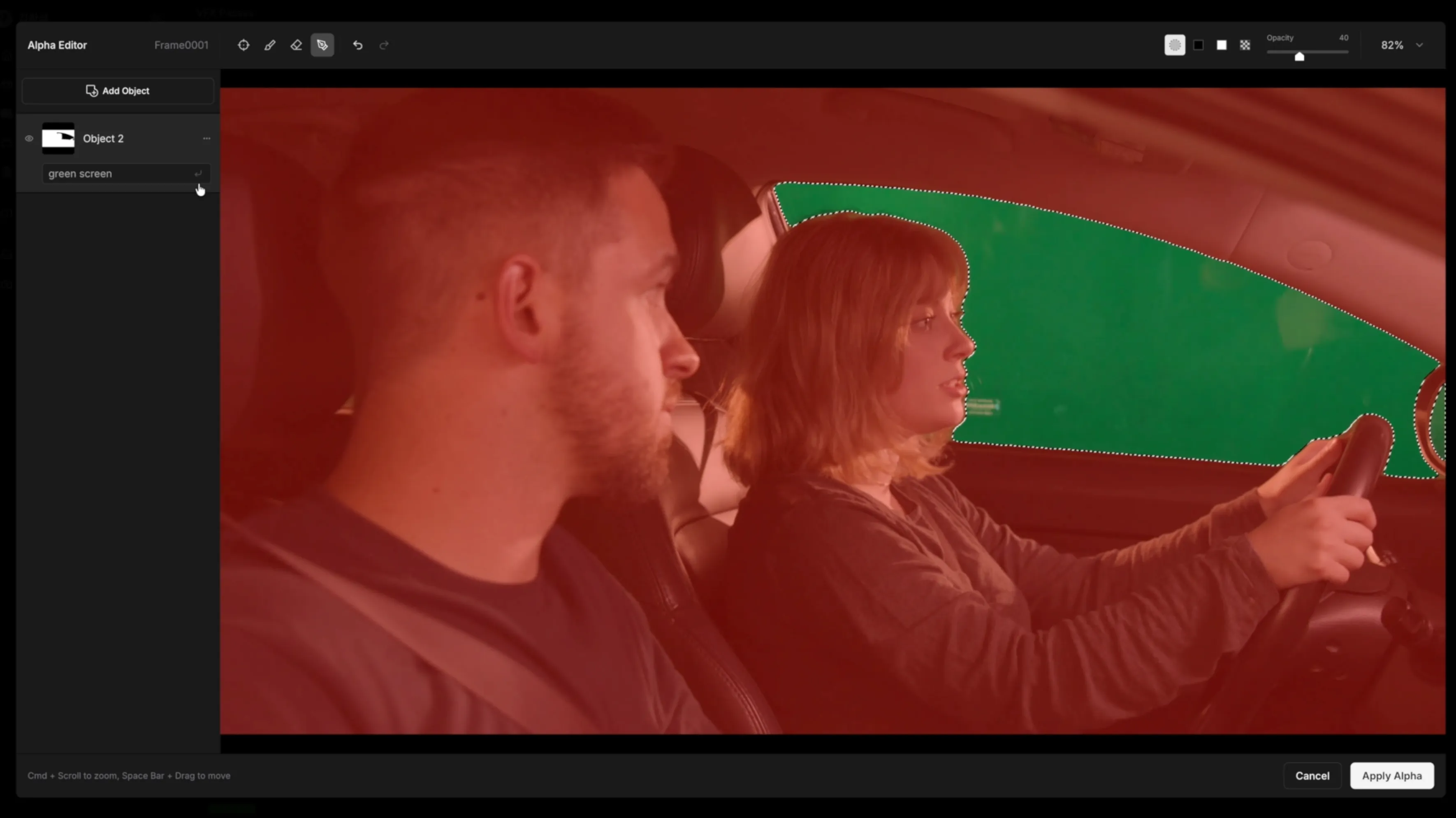
Select your subject and guide the extraction toward the result you need — keep one object, drop another.
Refine the auto-roto matte right inside Edit Alpha.
02/ PRO OUTPUT
Not a binary cutout. Edges keep partial transparency — hair strands, fur, and semi-transparent materials survive.
Video is processed as video: temporally coherent mattes, no frame-to-frame shimmer. Green-screen footage runs CorridorKey — Corridor Crew's keying model, hosted natively in Beeble — to reconstruct true foreground color.
Export MOV with alpha channel or PNG sequences — straight into After Effects, Nuke, or Resolve.
Pro-grade background removal for
footage that ends up in a comp.
Upload footage. Background removed in seconds.
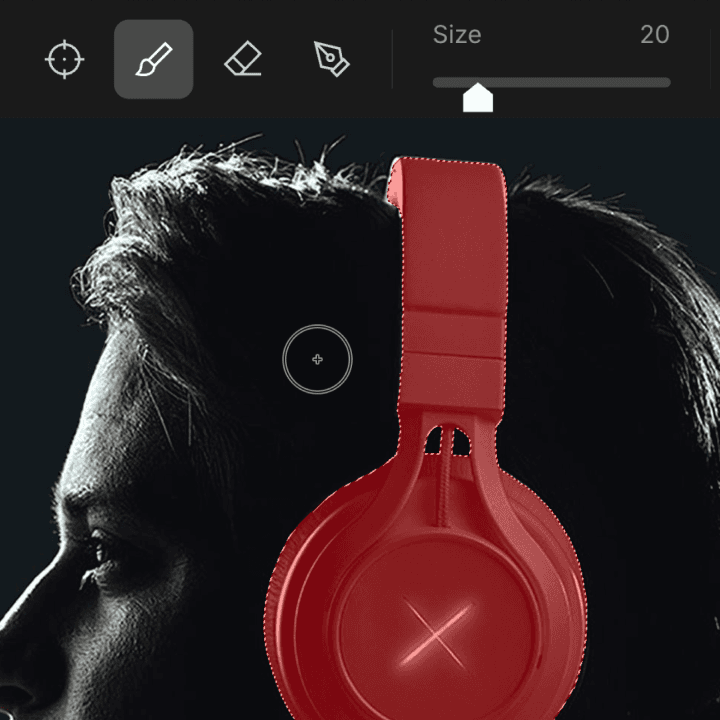
Select your subject. Simply mask what you want to keep.

Export as a clean matte or background-free source.
The essentials on alpha mattes, export formats, and where Background Remover fits in your pipeline.
Upload your footage and Beeble's AI pulls the alpha matte directly from the pixels — no green screen, no controlled studio lighting. It works as a green screen alternative for footage shot on location, at home, or on a phone. If you did shoot on green, even better: keying gets the dedicated CorridorKey model.
Yes. Beeble Background Remover is an auto rotoscope for video: it generates a temporally coherent matte across the whole clip instead of making you paint masks frame by frame. You guide the extraction — pick the subject, keep or drop specific objects — and refine edges in Edit Alpha, so it replaces manual roto for most shots rather than just still-image cutouts.
CorridorKey is Corridor Crew's green screen keying model, hosted natively inside Beeble. Instead of treating keying as a masking problem, it solves the unmixing problem — predicting the true, un-multiplied foreground color as if the green screen had never influenced it. Hair keeps its softness, motion blur behaves naturally, and green spill is actively removed rather than hidden. It runs inside Background Remover, paired with MatAnyone for precise alpha generation.
Yes. Video jobs export as RGBA video — a single 10-bit MOV with an embedded alpha channel — or as a PNG sequence with per-frame alpha, the standard interchange format for VFX. Both drop straight into After Effects, Nuke, DaVinci Resolve, or any compositor that reads RGBA. Images export as transparent PNG.
Both. Background Remover handles single images, full video clips, and image sequences with the same pipeline. Processing runs on cloud GPUs, so your local hardware doesn't matter.
Yes. Background Remover isolates your subject across an entire clip — one temporally coherent alpha matte for the whole video, not a frame-by-frame cutout. Export it as MOV with alpha or a PNG sequence and drop it straight into your edit or comp.
Consumer tools output a binary cutout: every pixel fully opaque or fully transparent, which shows up as haloing and hard fringes around hair. Beeble preserves partial transparency at the edges and processes video as video, so the matte stays consistent from frame to frame. And the output is pipeline-grade — MOV with alpha and PNG sequences instead of a compressed clip with the background painted out.